
A free Chrome extension for testers, developers and bug reporters - capture a web journey screen by screen, and every capture quietly brings its own diagnostics along with it, so nothing gets chased down by hand afterwards.
What it does
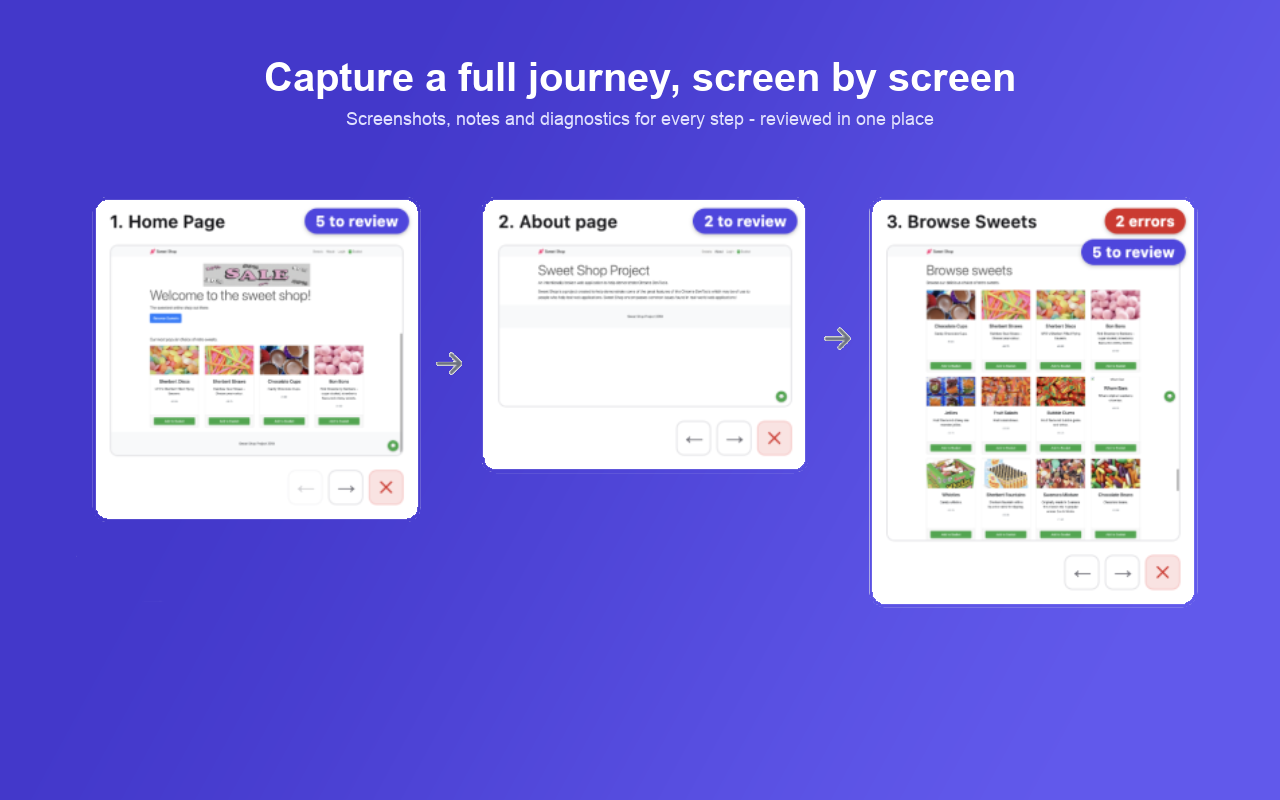
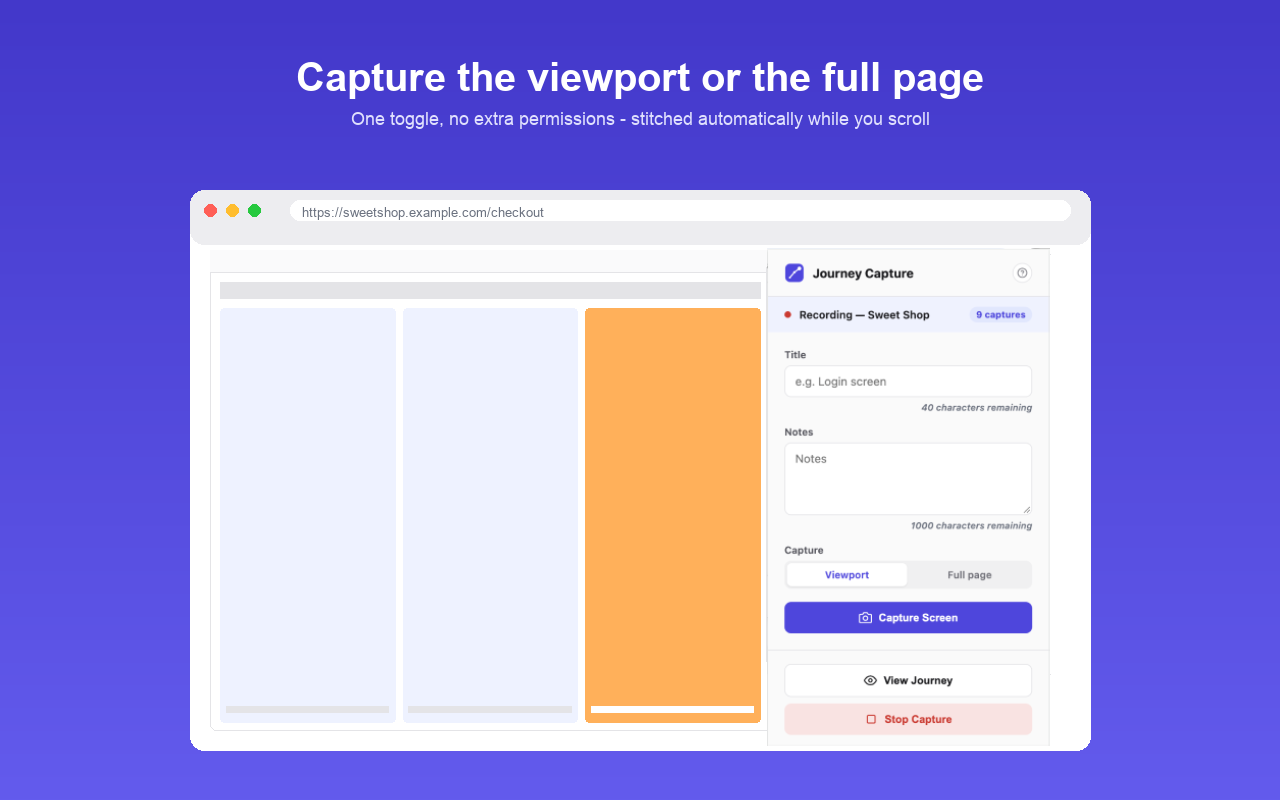
- Capture as you go: start a journey, browse as normal, and capture a screenshot at each step - with notes, annotations and a set of automated diagnostics attached to every one.
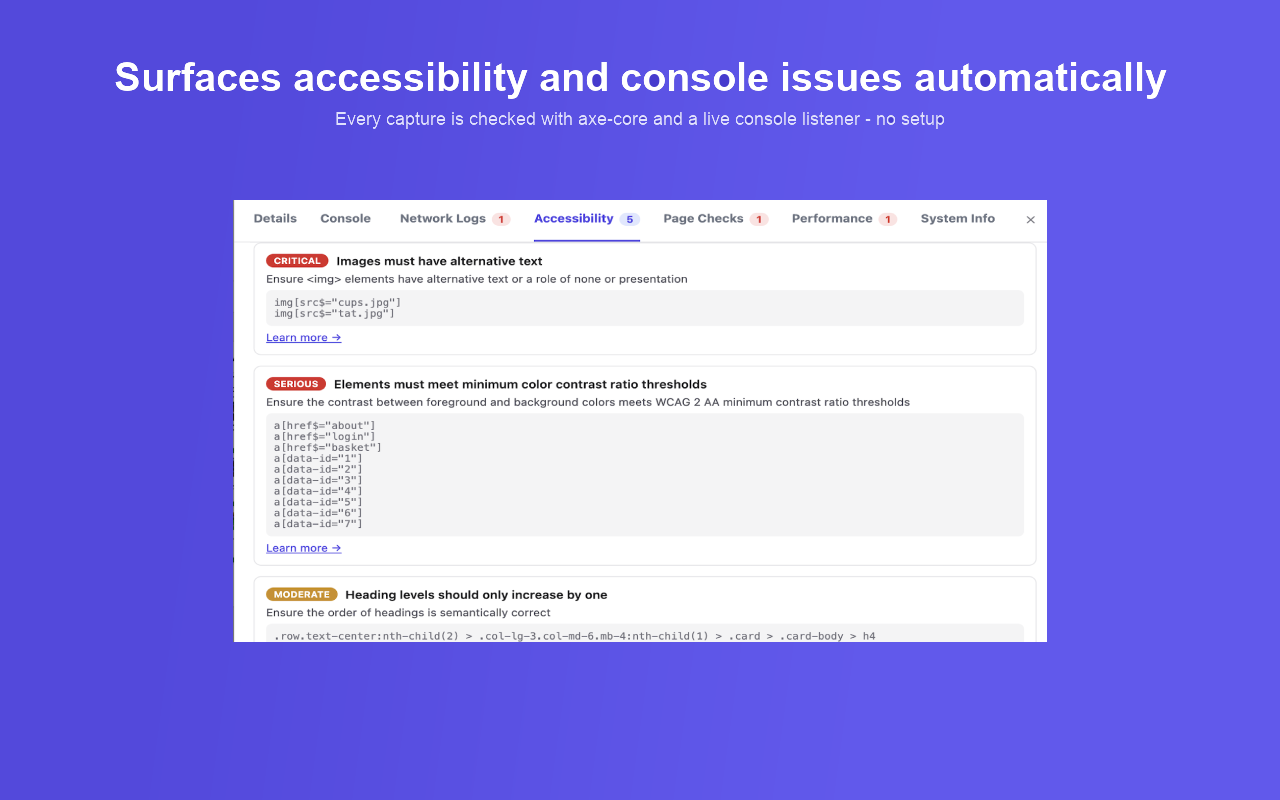
- Nothing to chase down afterwards: network requests, console output, accessibility and other checks are captured automatically, so there's no separate pass with DevTools.
- Share it your way: export a journey as JSON to hand to a teammate, or generate a polished PDF report in one click.
Try Journey Capture Today
Download from the Chrome Extension Store
See the full, up-to-date feature list on the Chrome Web Store listing.
Privacy Policy
Last updated: October 2026
What Journey Capture captures
When you click "Capture Screen," Journey Capture records, for that step only:
- A screenshot of the visible tab, or the full scrollable page if you choose full-page capture
- The page's URL and title
- Network requests made by that tab since it last navigated (URL, method, status code)
- Console errors and warnings logged by the page
- An automated accessibility scan (axe-core) of the page
- Automated page/security checks (e.g. broken images, mixed content, missing security headers) and performance findings (e.g. slow page load)
- Basic system info: browser name/version, OS, screen resolution, locale, timezone, and whether cookies/JavaScript are enabled
- Any title or notes you type in for that step
Journey Capture does not record anything about pages you haven't explicitly captured, and does not run in the background watching your browsing - the checks above only run at the moment you click Capture.
Where that data goes
Nowhere but your own browser. Everything is written to chrome.storage.local -
Chrome's local, on-device storage for extensions - and stays there until you delete it, export
it, or uninstall the extension. Journey Capture has no backend server, sends no analytics, and
makes no network requests of its own; the only data transmission that ever happens is the normal
network traffic of the page you're browsing, which the extension observes but doesn't redirect
or copy anywhere. Exporting a journey (as JSON or a PDF report) saves a file to your own
computer - nothing is uploaded.
Data retention and deletion
Starting a new journey clears all previously stored captures. Uninstalling the extension removes everything Chrome stored for it. You can also delete individual captures, or an entire journey, at any time from the journey view.
Why each permission is requested
- activeTab / tabs: to know which tab to screenshot and capture logs from
- storage / unlimitedStorage: to save your captures locally (screenshots can be large)
- webRequest: to record network requests and response headers for the tab being captured
- notifications: to show a small confirmation when a capture or journey starts/stops
- Host permissions (all sites) and the content scripts that run on every page: Journey Capture can be used to document and test any site you visit, so it needs to be able to run its checks (accessibility, console capture, page/security checks) on whichever page you choose to capture - not just a fixed list of sites
Third parties
Journey Capture doesn't share, sell, or transmit your data to any third party, ad network, or analytics service - there isn't one integrated. The accessibility scan uses the open-source axe-core library, bundled with the extension and run entirely on your device; it isn't a remote service.
Children's privacy
Journey Capture is a developer/testing tool and isn't directed at children, and doesn't knowingly collect information from anyone.
Changes to this policy
If what Journey Capture collects or how it's stored ever changes, this page will be updated and the "last updated" date above will reflect it.
Contact
Questions about this policy or the extension - see the contact links in the site footer below.